How to Add Your Own 3D Model to a Browser Game
By Gudmundur Kristjansson, who builds Amplify. Published 28 November 2026 · Updated 28 November 2026.
Drafted with AI help, tested and edited by Gudmundur Kristjansson.
To add your own 3D model to a browser game on Amplify, upload a .glb file in the project, ask for a change that uses it as the player, then play the preview yourself. I build Amplify (amplify.is). This post follows a real change to Paper River, a 3D river-boat game: the model uploaded at no charge, one Fast change at 5 credits, and a free fix in the Code tab after the preview still showed a box.
Disclosure: I build Amplify, an AI builder from Iceland that makes browser games, websites and web apps from a description. Anyone 13 or older can use Amplify. If you're under 18, you need a parent or guardian's permission to buy credits.
On 28 November 2026, I added a folded paper boat to Paper River. The model is a .glb from Sloyd. Uploading it through "+ Add images" in the project toolbar cost 0 credits. I then asked the builder, on Fast, to use that model as the player boat, steer with arrow keys, A/D and drag, collide with logs and lanterns, and add 1 to the score for each lantern. That change cost 5 credits, the list price for a 3D change on Fast on the Amplify pricing page that day.
The builder reported that the change had worked. In the preview, the player was still a white box, and lanterns and logs passed through it. The model had loaded, but the code never attached it to the player, and the pickup and collision checks never ran. I fixed those in the Code tab at 0 credits and saved the project as v4. The video below is that version: the paper boat is the player, arrow keys and A/D steer it, a lantern gives +1, and a log ends the run. This was a builder change plus a manual fix, not one prompt.
Transcript
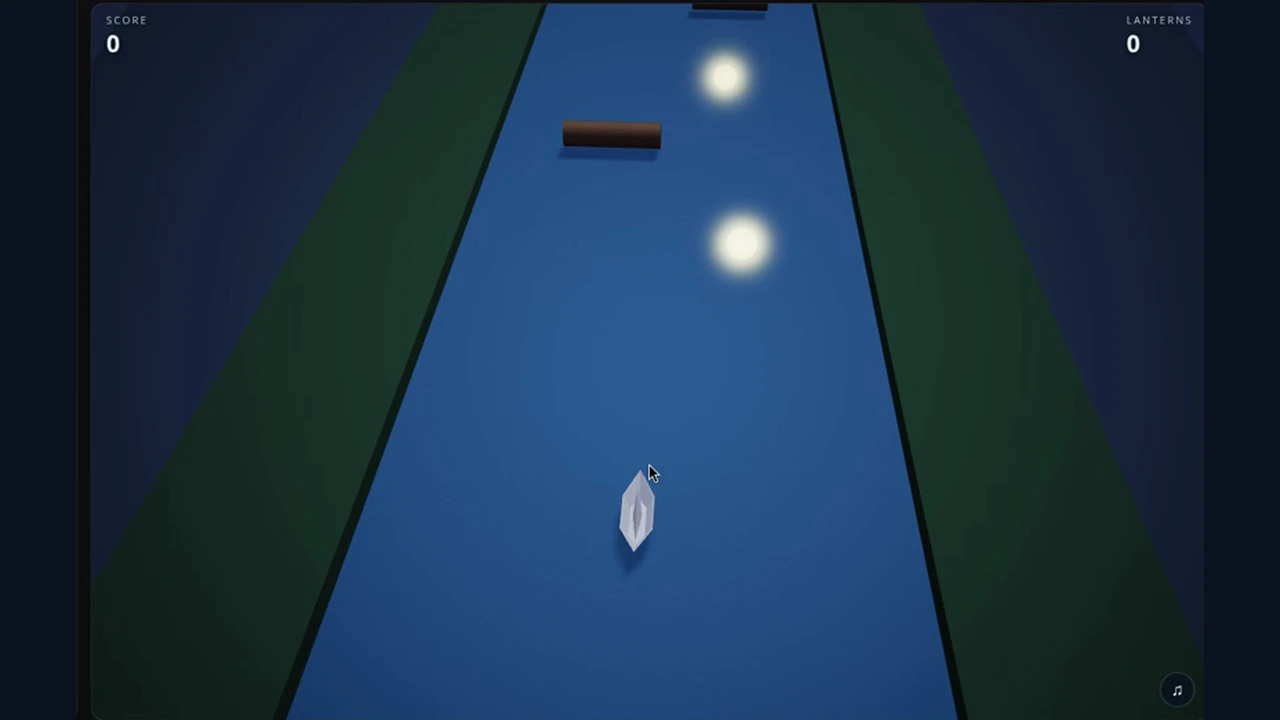
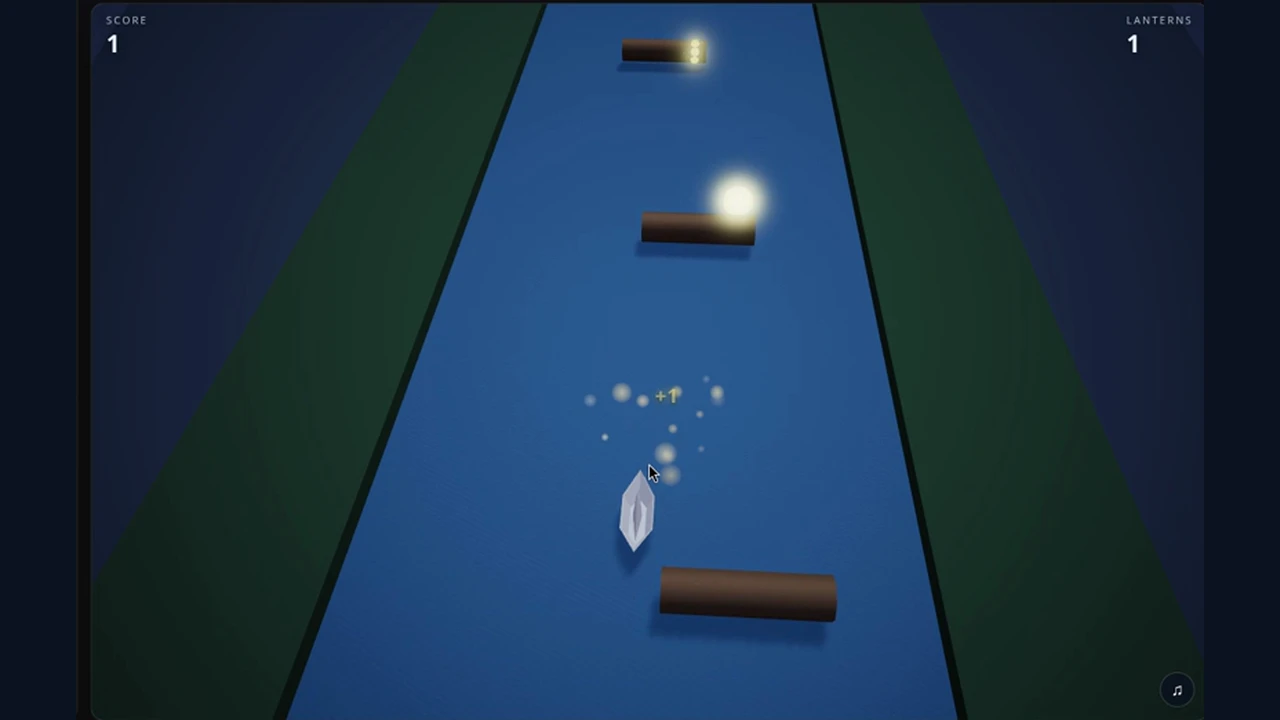
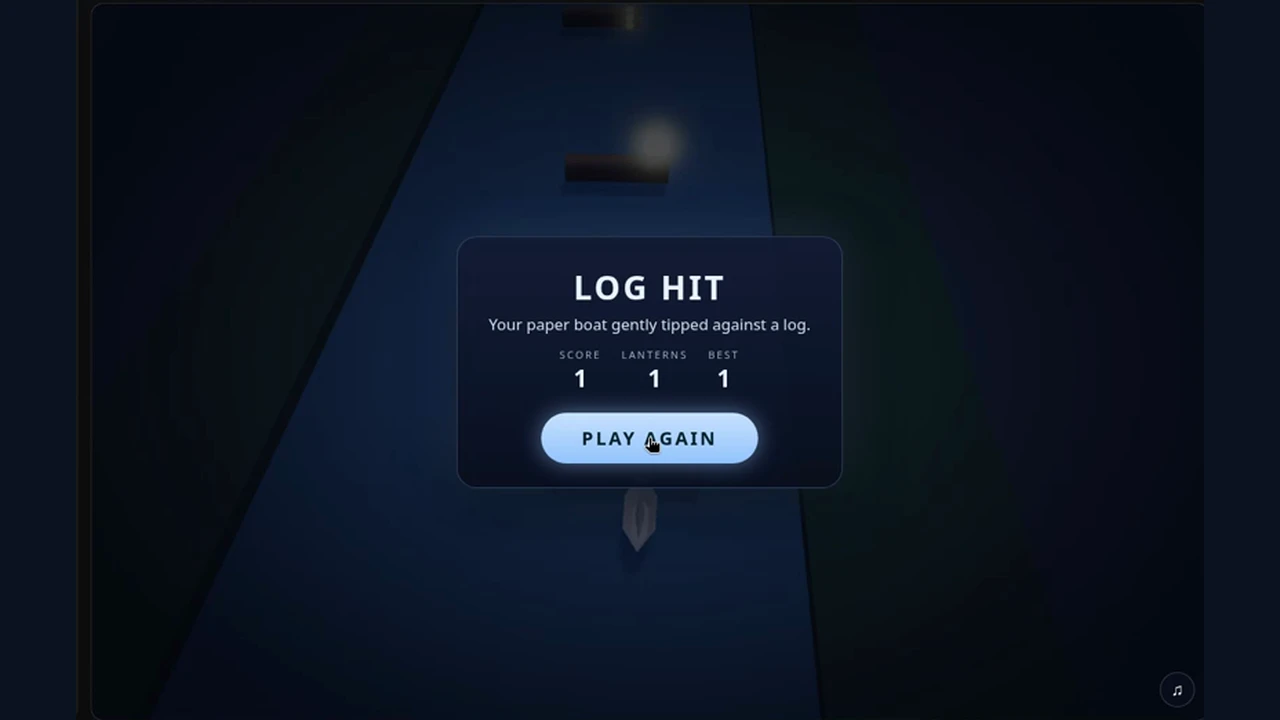
The clip has no narration. These are the on-screen captions and what the recording shows. 0:00 — Title screen: Paper River, "A calm night-river drift among lanterns and logs." It lists steering, collecting lanterns and avoiding logs, and "WASD or arrow keys to steer · M to mute." Caption: "Paper River: a 3D game built on amplify.is." 0:02 — Play starts. A white origami paper boat sits on a blue river. The score and lantern count are both 0. 0:09 — Caption: "Uploaded a 3D paper boat model (.glb)." The boat is the player, not a box. 0:16 — Caption: "Steer with arrow keys or A/D." 0:22 — Caption: "Collect lanterns, avoid logs." A lantern is collected; the score and lantern count both go to 1. 0:32 — The boat hits a wooden log. The game shows "LOG HIT" and "Your paper boat gently tipped against a log," with score, lanterns and best all at 1, and a Play Again button. 0:40 — End card: "3D paper boat model: Sloyd (sloyd.ai)" and "I build Amplify, amplify.is."
How do I add my own 3D model to a browser game on Amplify?
You upload a .glb in the project, ask for one change that uses it as the player, then play the preview and, if the result is wrong, fix it in the Code tab or roll back.
Paper River was already a 3D game on Amplify, built on Fast. This post is about adding a custom model to that game, not about the first build. An earlier Paper River, with rocks and stars instead of logs and lanterns, is the example in how to publish a browser game for free. The version in this video was recorded in the builder preview and is not that published game.
Here is what I did on 28 November 2026:
- Open the project and use "+ Add images" in the project toolbar. A .glb uploaded there in this build cost 0 credits.
- Ask for one change, on Fast, that uses the uploaded model. This was the prompt:
Use my uploaded paper boat model as the player boat, scaled and rotated to the current boat size, keep a simple box as fallback. Also make the boat steer with arrow keys, A/D and drag, make logs and lanterns collide with the boat, and give +1 score per lantern.
- Wait for the builder to finish, then play the preview yourself. In this run the builder said the change had worked, and its own test passed. The preview still showed a white box, and lanterns and logs did not register.
- If the preview is wrong, you can roll back to the previous version for free, or open the Code tab and fix the files. I chose the Code tab. That fix cost 0 credits and was saved as v4.
After v4, the paper boat is the player and is scaled to the old boat size, the fallback box is hidden, arrow keys and A/D steer, a lantern adds 1 to the score, and a log ends the game with "LOG HIT." Drag-to-steer is only on touch devices in this game; it was not used in the desktop recording.
What should I check after an AI build?
Play the preview yourself. A success message in the chat is not the same as the game working.
In this change, two code mistakes were enough to make the preview look as if nothing had happened:
- The model loaded, but the code tried to set its size on a value that was not there. The error was swallowed, so the paper boat sat at full size at the starting point, and the fallback box stayed visible and was still what you steered.
- The code that should collect lanterns and detect logs checked a property the wrong way, so those loops never ran. Logs and lanterns passed through the boat, and the score stayed at 0.
A useful check after a change that adds a model is short and practical:
- Is the model attached to the thing you control, at the right size and rotation?
- If you asked for a fallback shape, does it hide once the model is in?
- Can you pick up an item and hit an obstacle in one short run?
- Does the browser console show an error or a warning about the model?
If any of those fail, don't spend another change until you know what broke. Rolling back is free. A new change is charged again.
How do I use the Code tab when the preview is wrong?
On the AI game maker page, Amplify says the Code tab shows the files the builder wrote. You don't need it for a small game that already plays the way you asked, but it is there when the preview does not match the chat.
I compared the game file with what the preview was doing, then pasted a targeted fix: attach and scale the uploaded model on the player, hide the box when that succeeds, and run the lantern and log checks correctly. Saving that as v4 cost 0 credits. The account used for this recording stayed at 115 credits after the 5-credit Fast change.
You can also roll back and ask for a new change in chat. On the pricing page, a change that runs but gives a wrong result still costs what it used; the credits stay spent. A change that ends up changing nothing is free, and a failed model call is refunded automatically. A new 3D game that passes no checks is refunded in full. Those refund rules apply to a new 3D game, not to a change that finished and looked wrong in the preview, which is what happened here.
How much does it cost to add a 3D model?
In this build, uploading the .glb cost 0 credits, the Fast change cost 5, and the Code tab fix cost 0.
Those 5 credits are the list price for a change to a 3D game on Fast, checked on the Amplify pricing page on 28 November 2026 (Atlantic/Reykjavik). The same table that day lists a new 3D game at 15 credits on Fast (60 on Standard, 240 on Best), and a small fix after a failed check at 3 credits on Fast (10 on Standard, 40 on Best). Publishing and rolling back are free.
You can build free with your 100 signup credits, no card needed. A new 3D game on Fast can fit in those credits, but a first build is not always free to finish, and later changes use more. Typical costs and credit packs are on the pricing page.
Can I steer the boat with a mouse?
Not in this game, on a desktop. Arrow keys and A and D steer the boat. The start screen also lists WASD; W and S were not tested in this recording. Drag-to-steer is only on touch devices here, so a mouse drag does nothing in the desktop preview.
FAQ
Do I need to know how to code?
No, not to start. You describe the game and the change in plain English. The Code tab is optional, and it helped in this build when the preview did not match what the builder reported.
Will the builder always attach my model correctly?
No. In this build it did not, even though it reported success. Play the preview, and keep the Code tab and a free rollback in mind.
Is publishing free?
Yes. Publishing is free, and you can unpublish anytime. This recording is of the preview after v4; this version was not published for this post.
Who made the paper boat model?
The 3D paper boat model is from Sloyd. Credit: "3D paper boat model: Sloyd (sloyd.ai)."
Try it
Try a game in the AI game maker, or follow how to make a browser game with AI. When you want the game on a public address, see how to publish a browser game for free. Typical costs are on the Amplify pricing page.
Build free with your 100 signup credits, no card needed.
